

Find the market with the right breakout structure, build a strategy without code, and compile it in MetaTrader 5 (MT5) as an MQL5 Expert Advisor. It's an EA builder that tests every EA before it reaches your chart.
The creators of BreakoutOS have been featured on

















The research happens in BreakoutOS. The finished strategy lands in MetaTrader 5 as an Expert Advisor you can compile, run in the Strategy Tester and attach to a chart.
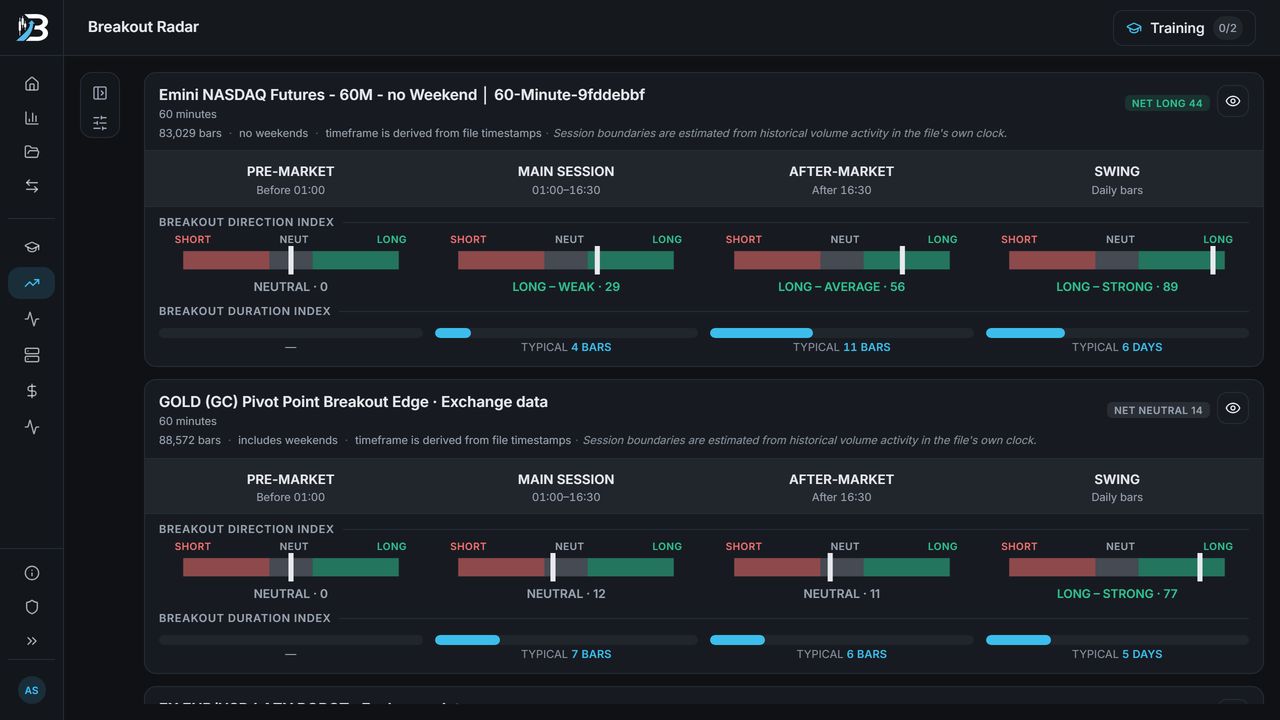
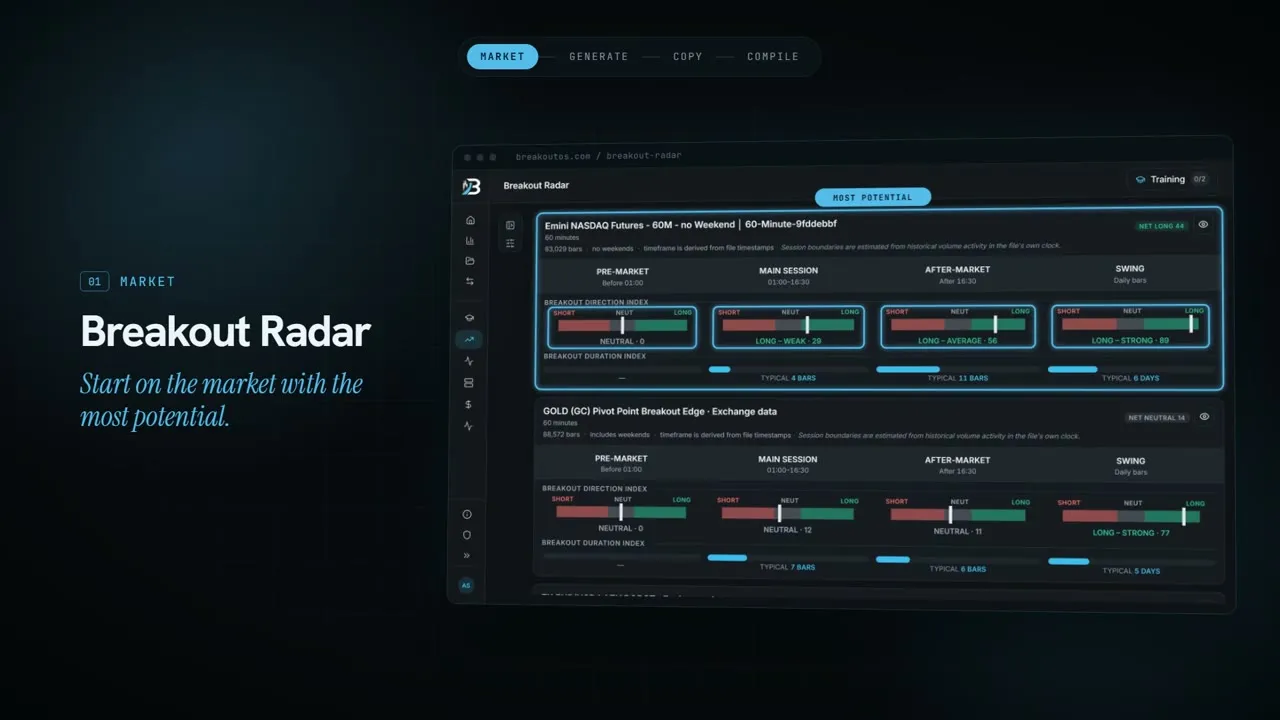
Breakout Radar scores each session of a market for breakout direction and how long breakouts typically last, so you start where the structure's there.
 Hypothetical backtest
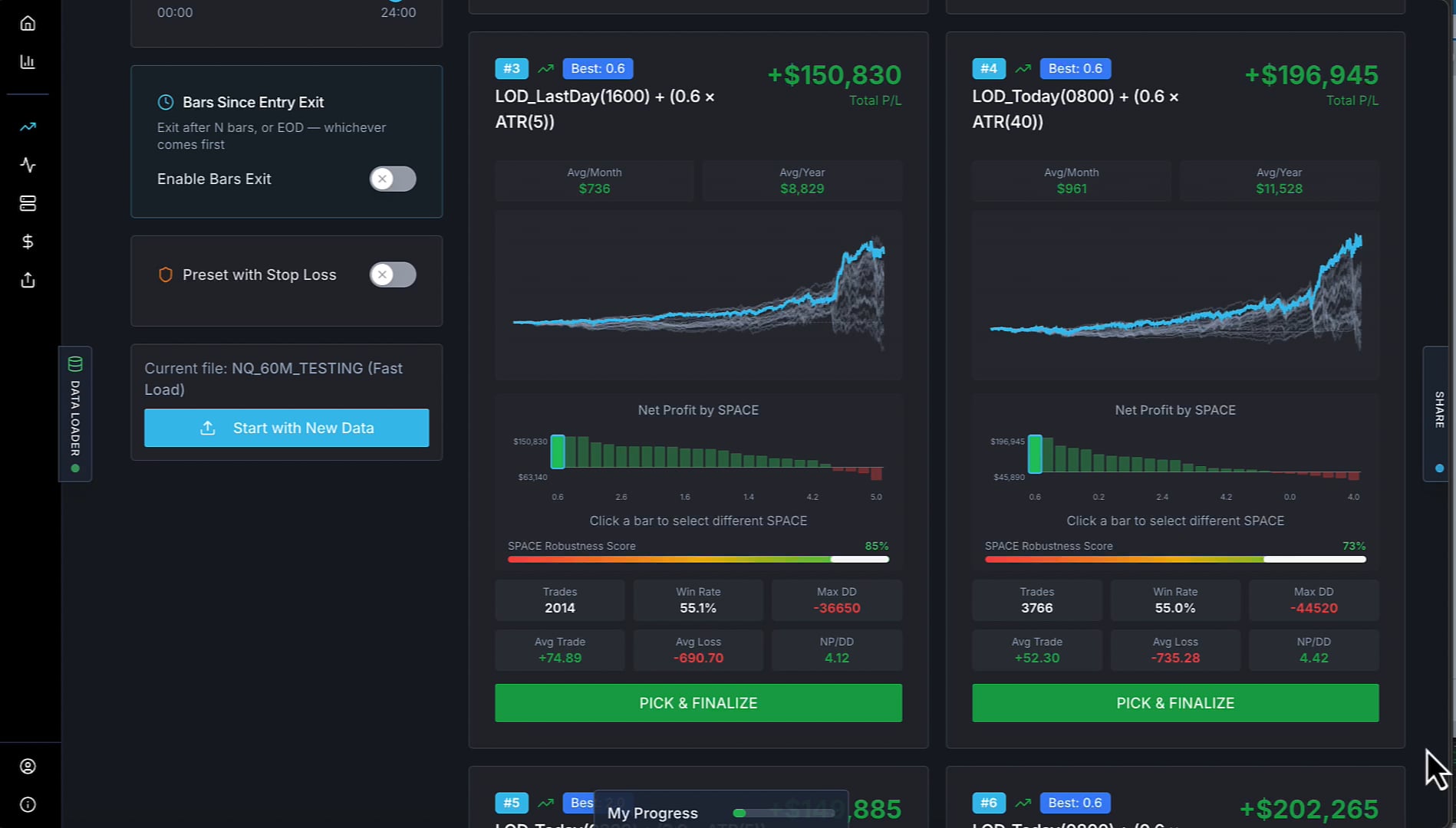
Breakout Trading PRO builds and tests breakout strategies for that market, point-and-click, using the Mr Breakouts Formula. Pick the one you want to take further.
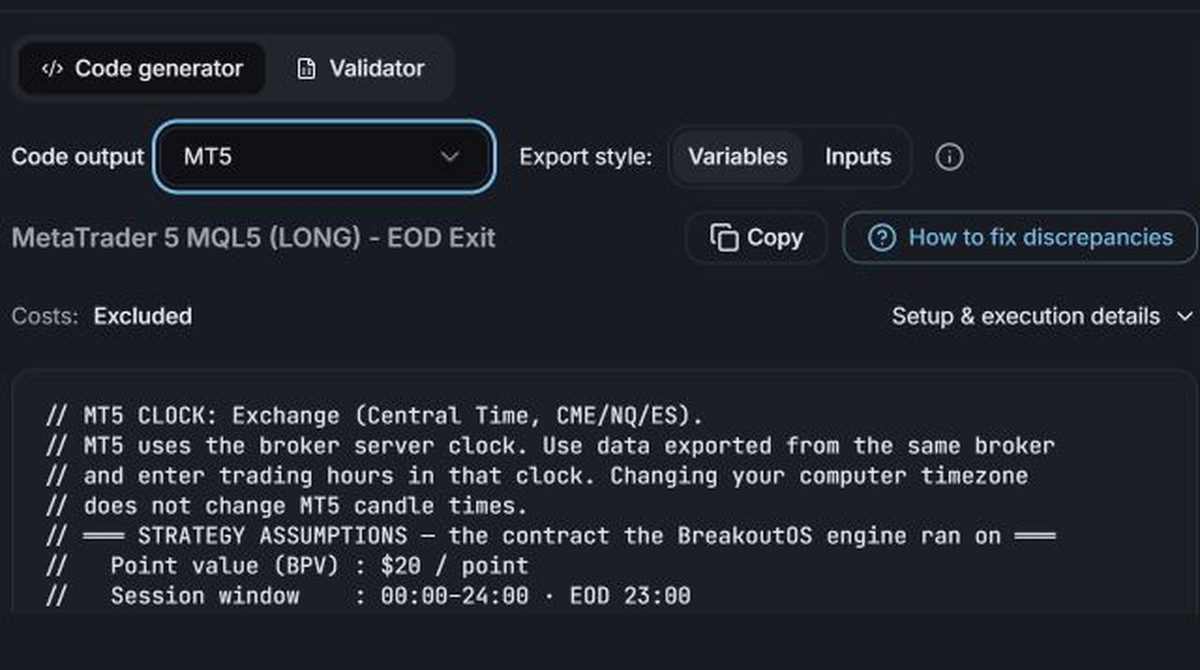
The export writes the strategy as an MQL5 Expert Advisor. The header lists the session times it was tested on, which matters on MetaTrader since server time varies from broker to broker.
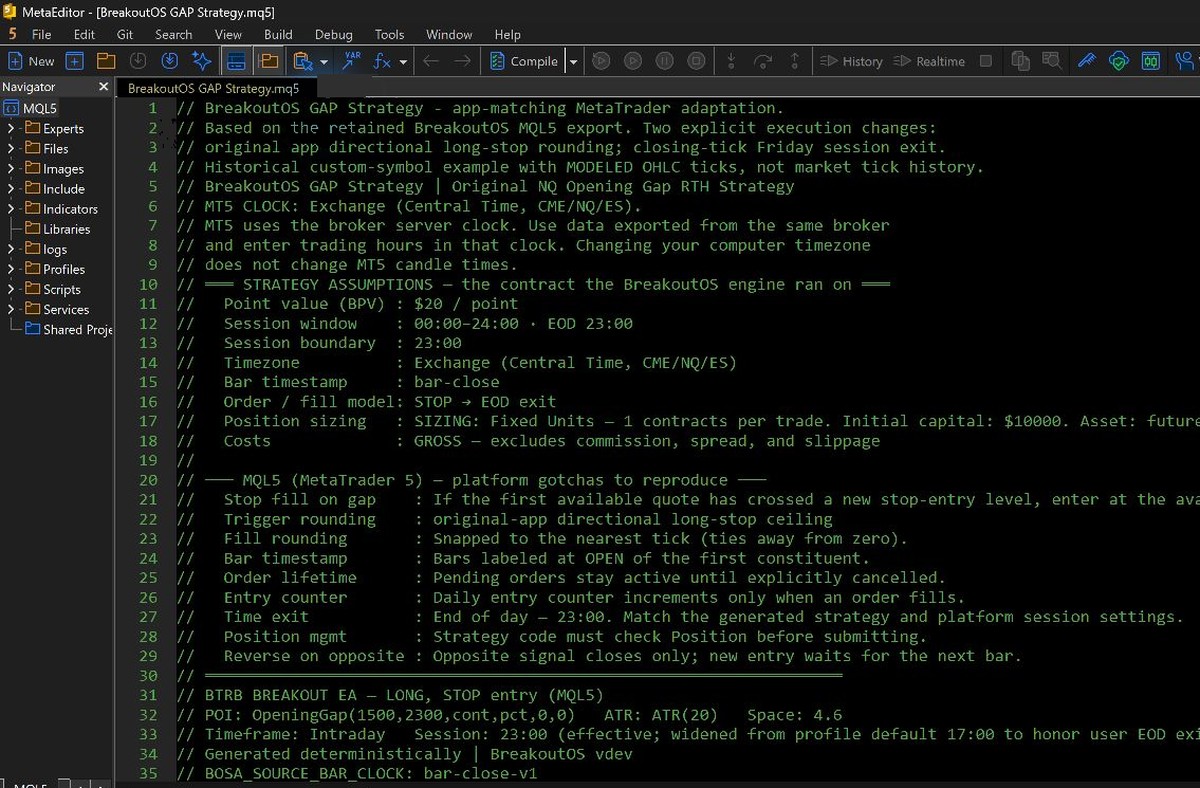
Paste it into a new Expert Advisor in MetaEditor and compile. It's ready for the Strategy Tester or a chart, like any EA you'd written yourself.
4 quick questions. Then you'll see which BreakoutOS tools fit how you trade, and what to do next.
One strategy, backtested in BreakoutOS, then exported and backtested again in MetaTrader 5's Strategy Tester. The MQL5 export reproduces the BreakoutOS results closely, so the EA on your chart is the strategy you researched.
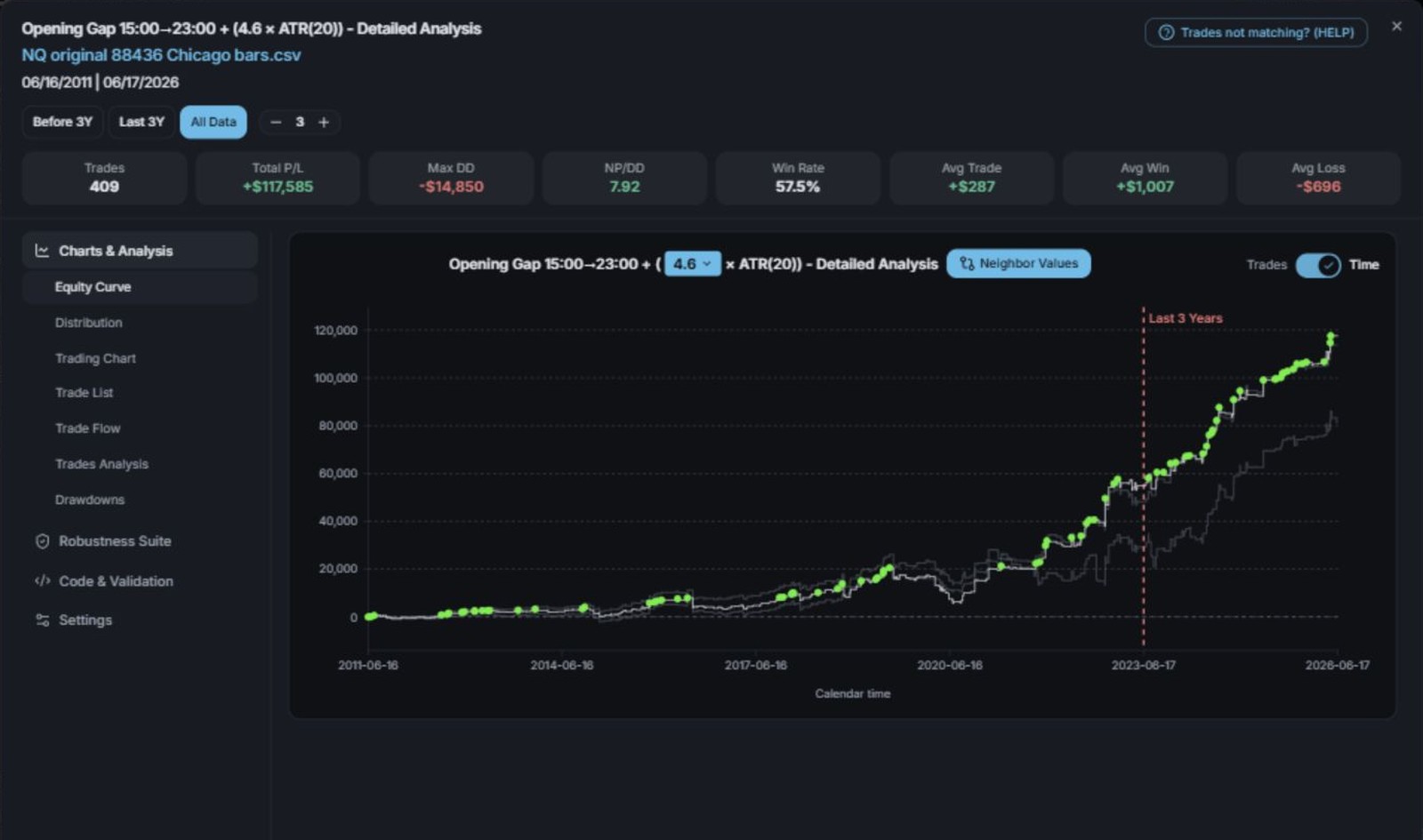 Hypothetical backtest
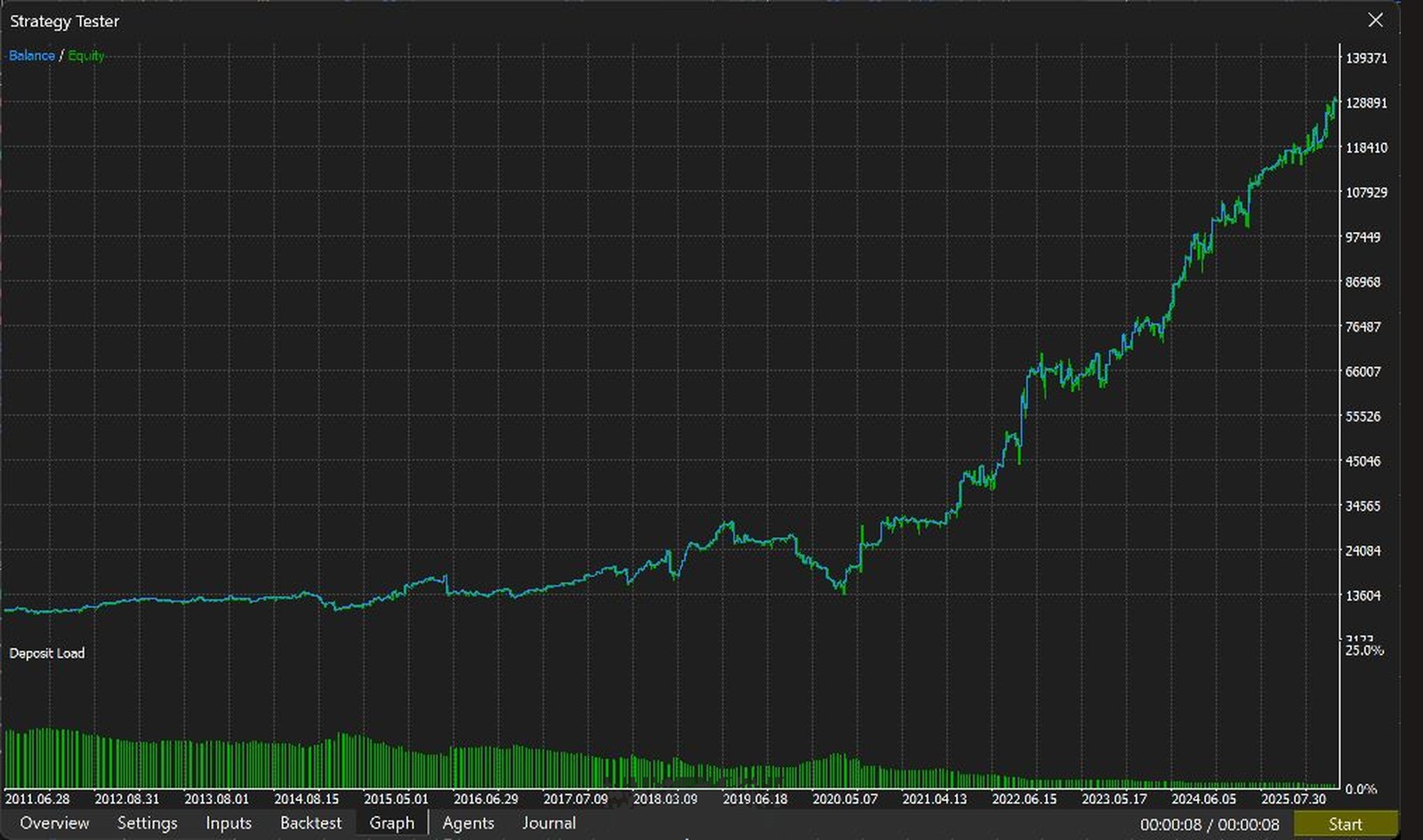 Hypothetical backtest
| Measure | BreakoutOS | MetaTrader 5 |
|---|---|---|
| Trades | 409 | 409 |
| Win rate | 57.5% | 58.2% |
| Average trade | +$287 | +$291 |
| Net profit | +$117,585 | +$119,155 |
403 of the 409 trades match exactly. Five of the other six fall on holiday early closes, which this test's MetaTrader 5 session schedule didn't include, so those exits waited for the next open. The sixth is a stop order that filled at a reopen. Hypothetical backtest results on both sides, not live trading. See the Hypothetical Performance Disclosure at the foot of this page.
The entry, the exit and the filters you tested in BreakoutOS, written out as an MQL5 Expert Advisor.
The code header spells out the session times the strategy uses, so you can line them up with your broker's server time.
Small gaps can still come from your broker's price data, its server time or the tester's modelling mode. There's a guide inside BreakoutOS for tracking them down.
EAs you've coded yourself, bought in or picked up from a forum? A nice-looking backtest doesn't prove much, so import them into BreakoutOS Scale and put them through four tools.
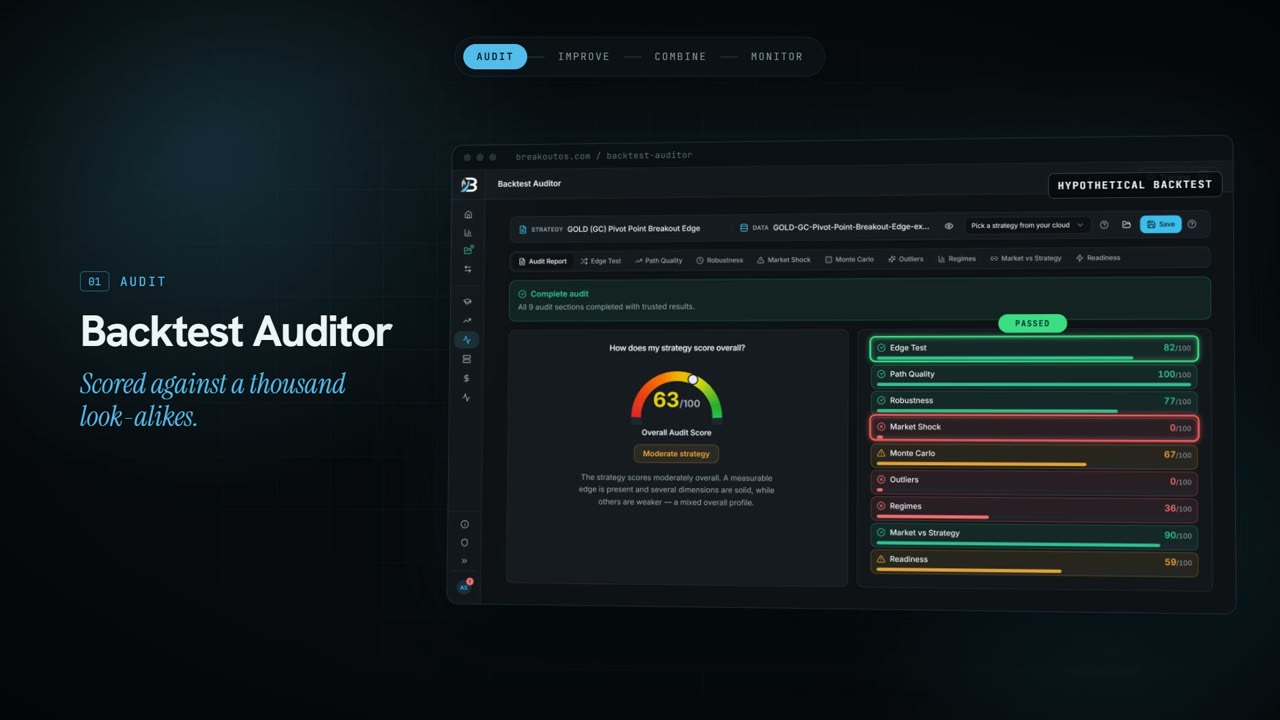
Scores your strategy against a thousand strategies with the same DNA, across nine checks.
Finds out which indicators work best for your strategy.
Combines several strategies into one portfolio, so you see how they work together.
Gives each strategy a traffic light, so you know when to keep going and when to pause.
Tell us what you're running, and the roadmap shows which of these tools to use first.
BreakoutOS does the research and the testing. MetaTrader 5 runs the Expert Advisor on your broker's account. Here's how the two fit together, from picking a market to monitoring a portfolio.
Score each market and session for breakout potential.
BuildGenerate tested strategy candidates, without code.
BuildCompile the EA in MetaEditor and attach it to a chart.
MetaTrader 5Nine checks against a thousand look-alike strategies.
ScaleFind the indicators that work best for it.
ScaleSeveral strategies, one portfolio.
ScaleA traffic light for every strategy.
ScaleWorks across most major markets
BreakoutOS builds and tests breakout strategies on all of them. Which ones you trade in MetaTrader 5 depends on what your broker offers.
Most EAs that fail live were either never properly tested, or tested by the person selling them. Five mistakes we see often, including two that matter for prop firm challenges:
To automate a strategy in MT5 you need an Expert Advisor, and writing one means learning MQL5, a C++-style language. That takes most traders months, which is why so many buy an EA or download one instead.
You build the strategy point-and-click and export it as an MQL5 Expert Advisor, ready to compile. No MQL5 needed, and the code's there to read if you want to learn from it.
Hypothetical backtestEAs from the MQL5 Market or a forum come with a backtest that sells them. It often shows the settings that did best on past data, which is exactly what curve fitting looks like, and a curve-fitted EA tends to fall apart live.
Import the EA's trades into the Backtest Auditor and compare them with a thousand strategies that share the same DNA. Its data-mining bias score shows how much of the result could be luck.
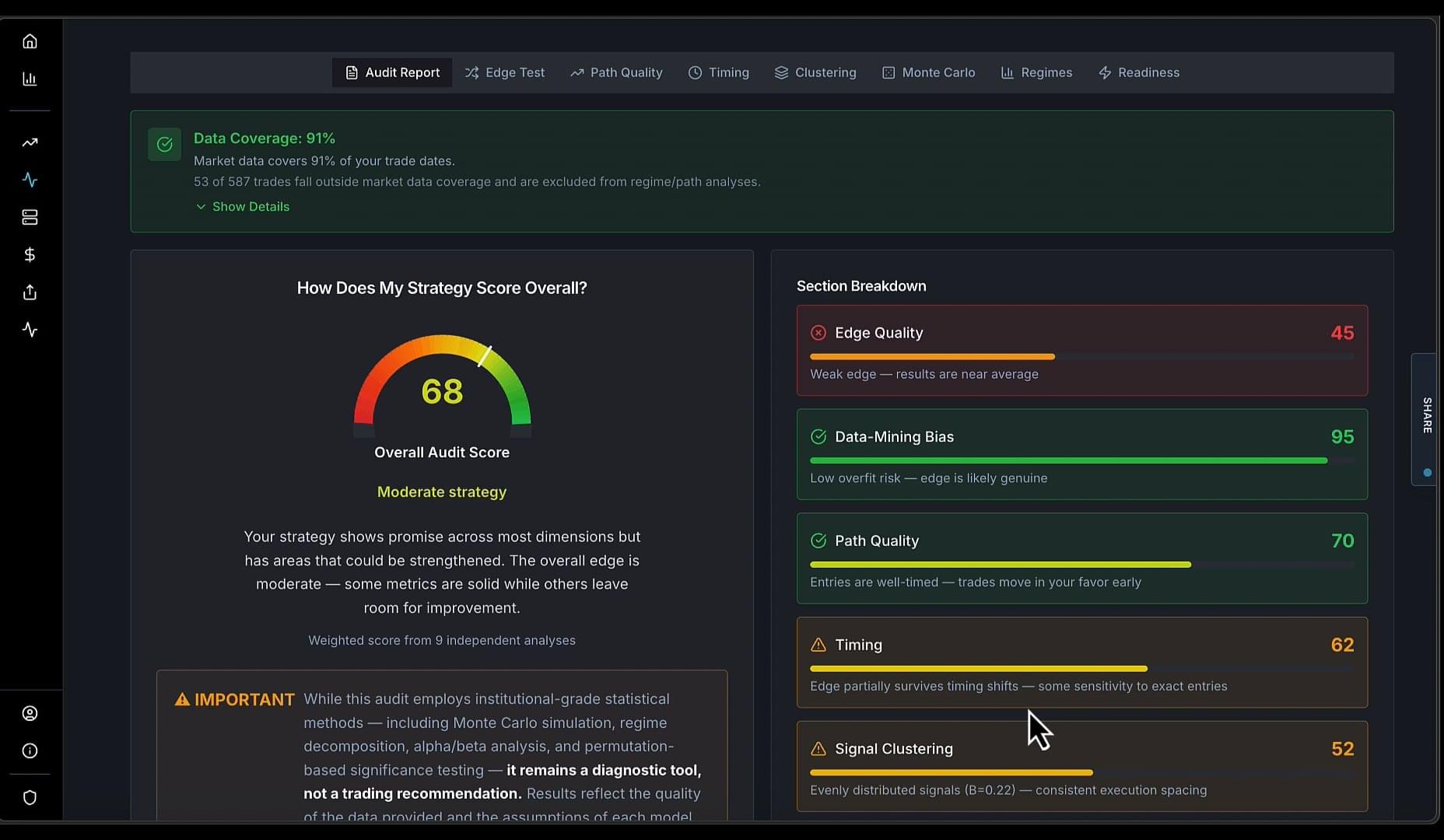 Hypothetical backtest
The MT5 Strategy Tester can hold back part of your data for a forward test. Full walk-forward analysis, Monte Carlo and cross-market checks aren't built in, so most EAs go live on one backtest and one forward test.
You get the full set: out-of-sample testing, a walk-forward robustness ranking, cross-market validation on markets the strategy never saw, and the Backtest Auditor's nine checks, including Monte Carlo and nine market regimes.
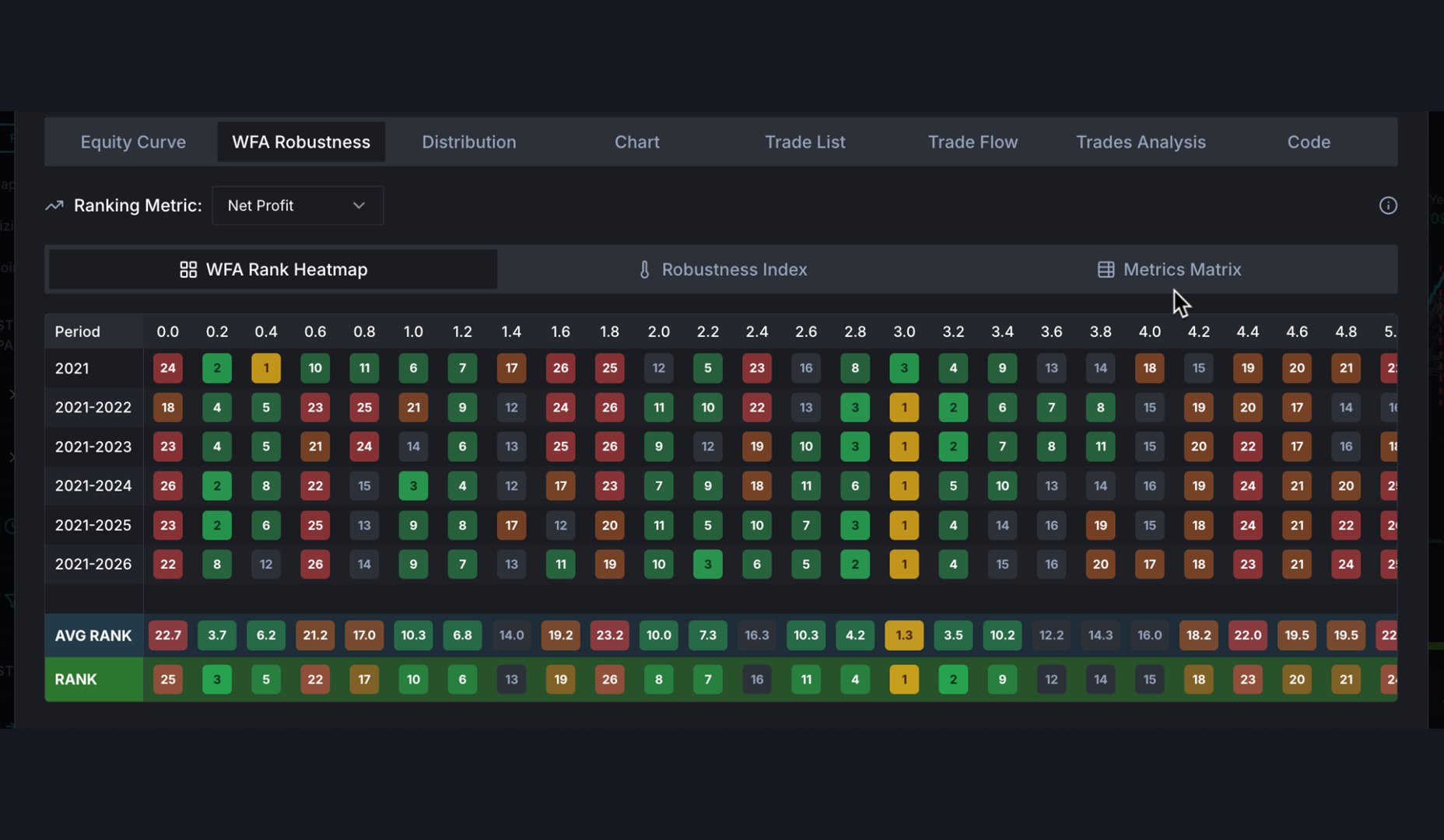 Hypothetical backtest
The Strategy Tester runs one EA at a time, so there's no built-in way to test several EAs as a portfolio. One EA on one market can pass a challenge and fail the next on the same rules, because its losing streaks all arrive together.
MQ Portfolio Builder combines strategies that don't move together into one portfolio. In our prop firm series, three average strategies combined went from 4:1 and 8:1 to 13:1 net profit to drawdown (hypothetical backtest). Check your firm's rules on EAs first.
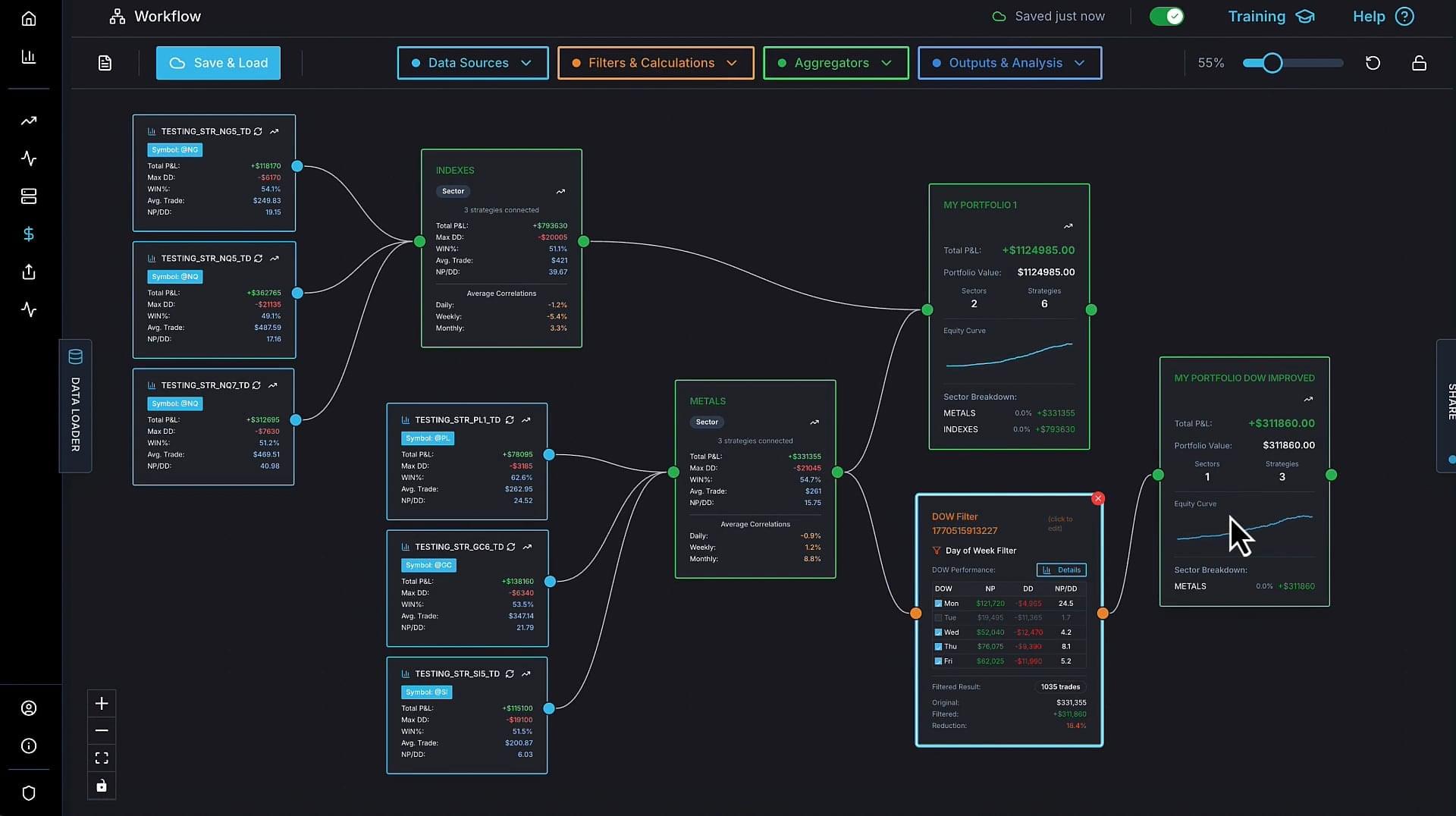 Hypothetical backtest
Challenges and funded accounts end at a daily or maximum drawdown limit. MT5 shows the EA's profit and loss, not whether its current drawdown is normal for it.
The Strategy Health Monitor rates each EA green, orange or red, so you can cut size or pause one that's drifting before the firm's limit decides for you.
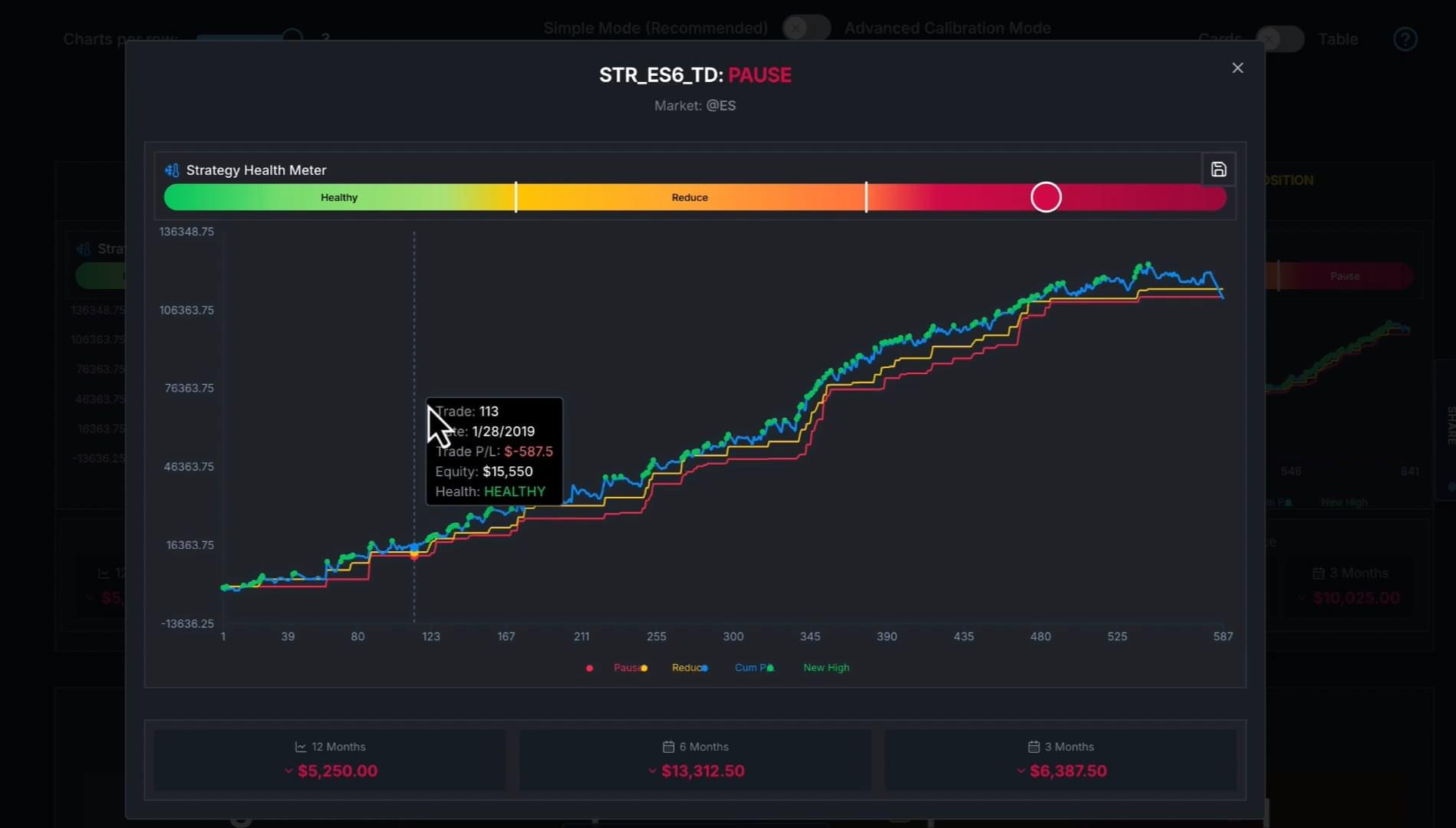 Hypothetical backtest
BreakoutOS Build has the four tools you need to go from a market to a strategy, with MQL5 export on every strategy you build.
BreakoutOS Scale has the tools to audit, improve, combine and monitor the strategies you've already got, plus every Build tool.
MetaTrader and MQL5 are trademarks of MetaQuotes Ltd. BreakoutOS isn't affiliated with or endorsed by MetaQuotes Ltd.
Prop firm challenges, gold and crypto: research for the markets MT5 traders trade most.
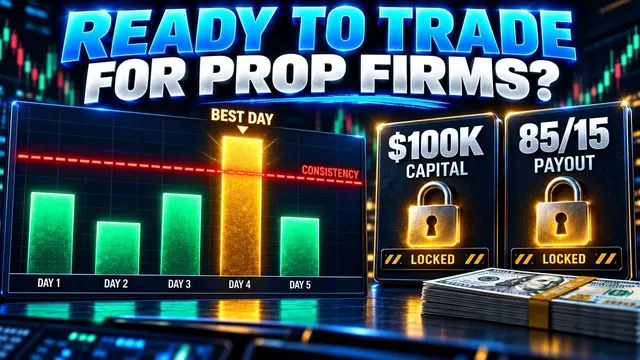
Three average Nasdaq gap strategies, near-zero daily correlation, one portfolio: net profit/drawdown went from 4:1 and 8:1 to 13:1. Step one to passing a prop firm challenge.
Read the article →
Build a gold futures breakout strategy targeting the aftermarket session on Mondays and Thursdays. 56% win rate, $261 avg trade using BreakoutOS session analysis.
Read the article →
ATR and volatility filters ranked first across 615 Bitcoin strategies while oscillators like RSI finished dead last. See the full BreakoutOS filter test results.
Read the article →